Table of Contents
Okay, I'll say it: most "best Android apps" lists are a snooze fest. Same names every time — Spotify, Google Maps, WhatsApp, stuff you've had since 2018 — or they're pushing some bloated app crammed with ads and a subscription you never asked for.
I download way too many apps. Most don't survive past two days on my phone. But every now and then something actually sticks — fixes a problem I didn't even realize was annoying me until it was gone. These five made the cut. They're still on my home screen, and honestly I'd be a little annoyed if I had to set my phone up from scratch without them.
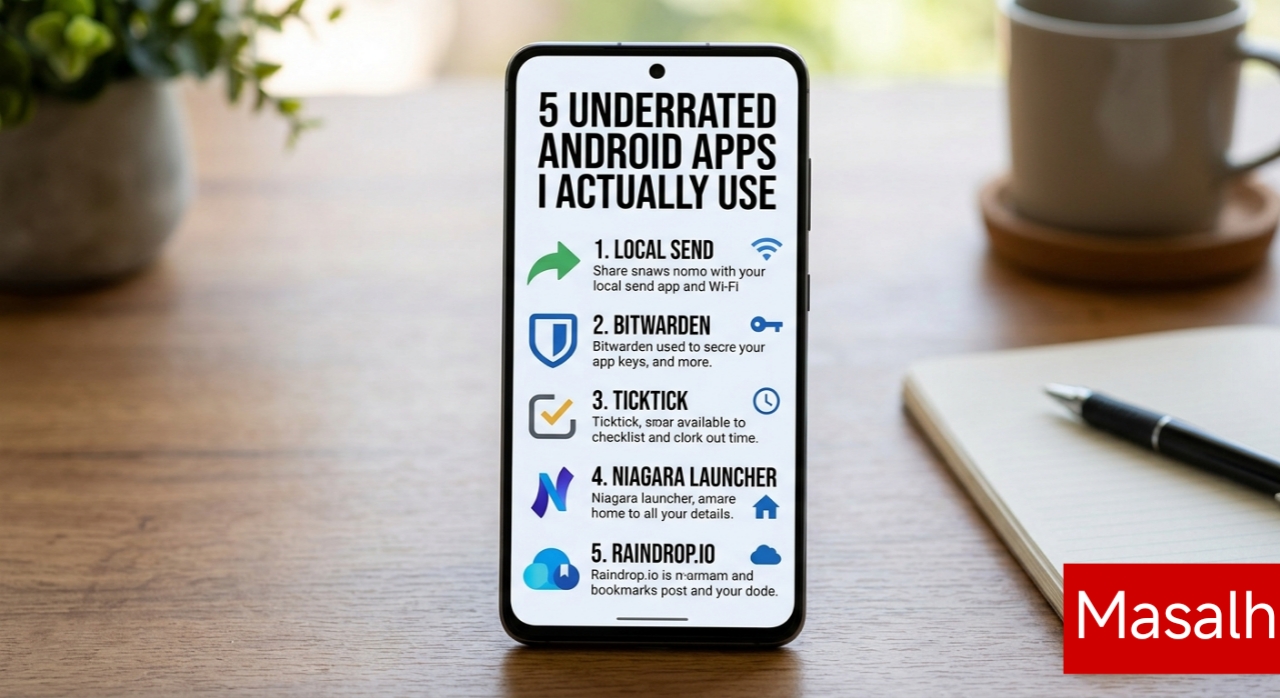
1. LocalSend
What it does: Offline file sharing, any device to any device.
Price: Free, open source.
Try sending a big video file from your Android phone to a Windows laptop sometime. Or to an iPad. It's a nightmare unless you're locked into one ecosystem. Nearby Share is fine if everything's Android or Windows, but the second an iPhone or Mac enters the picture, good luck.
LocalSend just... works. Both devices on the same Wi-Fi, app open on each end, and a 2GB file moves in seconds. No cloud upload, no compression eating your photo quality, no sign-up form asking for your email. It's basically the AirDrop-for-everyone I didn't know I needed.
2. Bitwarden
What it does: Password manager.
Price: Free, $10/year if you want premium.
For years I just let the browser remember my passwords, or — not proud of this — reused the same three passwords everywhere. Then I got one of those breach notification emails and figured it was time to grow up.
Bitwarden's free tier is genuinely generous. Unlimited passwords, syncs across devices, autofill actually works inside apps and not just in Chrome. It generates a strong password when you sign up somewhere new, encrypts everything locally before it touches their servers. I don't think about passwords anymore, which is exactly the point.
3. TickTick
What it does: To-do lists, calendar, habit tracking.
Price: Free, optional premium.
I've cycled through basically every productivity app — Todoist, Notion, Google Tasks, the works. Half of them want you to spend an hour building a "system" before you can add a single task. TickTick doesn't do that to you.
The thing that actually got me hooked is how it reads plain English. Type "pay electricity bill tomorrow at 4pm" and it just figures out the date, the time, sets the reminder — no scrolling through date pickers. It's also got a Pomodoro timer and habit tracker baked in, so I stopped needing three separate apps for that.
4. Niagara Launcher
What it does: Minimalist home screen replacement.
Price: Free, pro version optional.
Ever notice you open Instagram just because your thumb landed near it? That's not an accident — grid layouts full of colorful icons are basically designed to bait you into tapping something.
Niagara ditches all that. Your home screen becomes a simple alphabetical list of apps, easy to reach one-handed even on a huge screen. Since I switched, my screen time actually dropped, not because I willpowered my way through it, but because the phone stopped feeling like a slot machine.
5. Raindrop.io
What it does: Bookmarking for links, articles, videos, whatever.
Price: Free, pro version optional.
Be honest — how many tabs do you have open right now? If it's past twenty, this one's for you.
I'm constantly finding articles, recipes, random YouTube videos I mean to watch "later." Leaving them open just slows my phone down, and normal bookmarks are where links go to die. Raindrop turns all of that into a proper visual library — tag things, preview pages offline, and it syncs between phone and laptop without me thinking about it.
Final Thoughts
You don't need a new phone every year to make your phone feel better. Sometimes it's just clearing out the junk and adding a handful of apps that don't waste your time, sell your data, or drain your battery for no reason. Try a couple of these. You'll probably wonder how you lived without them.